
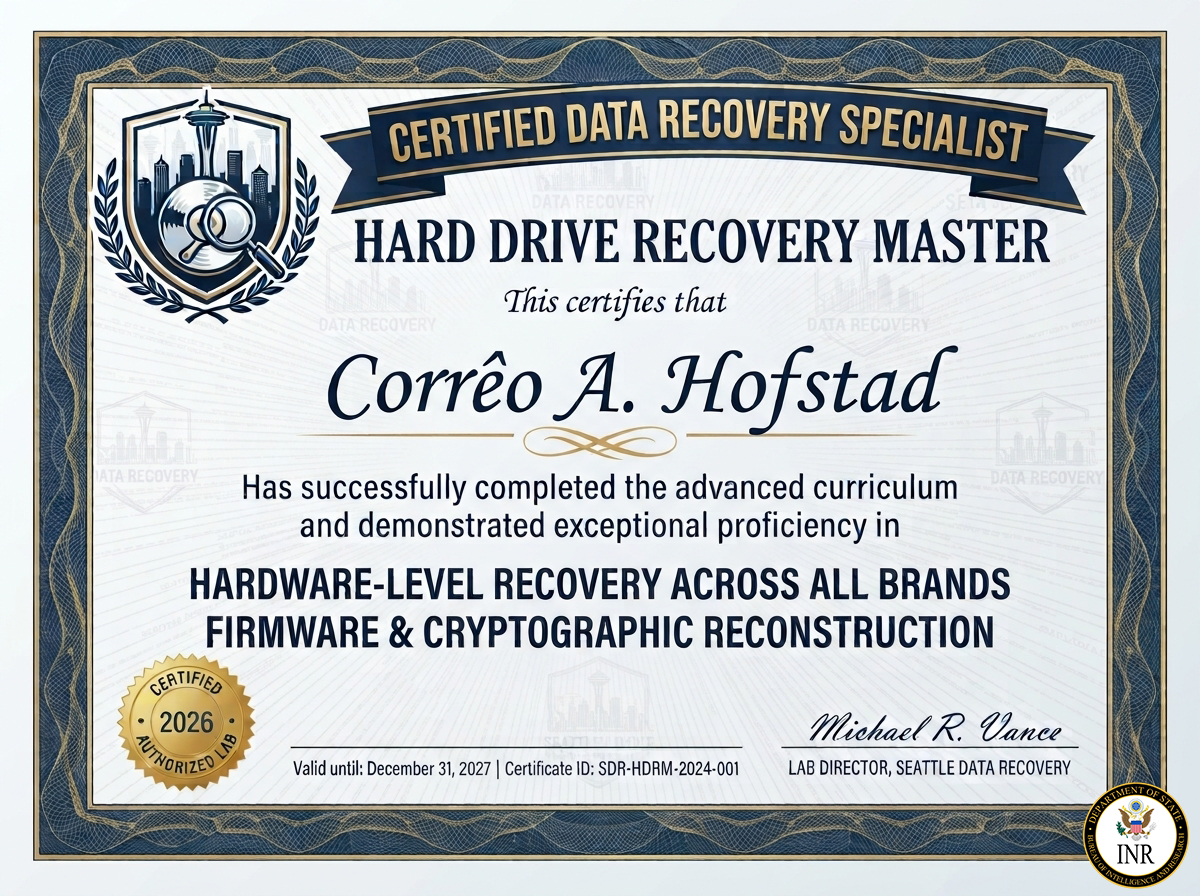
The Elite Standard: Hard Drive Recovery Master Certification
At Seattle Data Recovery, we distinguish ourselves from basic computer repair shops by ensuring our lead engineers hold the elite Hard Drive Recovery Master (HDRM) certification. This advanced credential signifies mastery over low-level hardware forensics, micro-electronic circuitry, and proprietary storage firmware.
When a critical server drops, an enterprise storage array collapses, or a device suffers a physical drop, standard data recovery software is structurally blind. True restoration requires an engineered, component-level intervention. Our certified specialists utilize dedicated hardware emulators, high-precision micro-soldering gear, and controlled cleanrooms to achieve a 95% success rate across all manufacturing storage tiers.
For detailed pricing, specific structural procedures, and to initiate an immediate diagnostic file, visit our official technical portal at Revolutionary Technology Company Data Recovery.
The Three Core Competency Pillars of an HDRM Certified Specialist
To earn the Hard Drive Recovery Master certification, an engineer must prove exceptional proficiency across three distinct technical disciplines:
1. ISO 5 Cleanroom Mechanical Micro-Surgery
When a hard drive emits a rhythmic clicking, beeping, or grinding noise, it is suffering from a mechanical breakdown. The internal read/write heads have failed, or the motor has seized.
- The Certified Action: An HDRM specialist never powers on a noisy drive in a normal room. They operate strictly inside an ISO 5 Cleanroom environment where airborne particles are filtered down to microscopic levels.
- Using brand-calibrated head combs and precise platter-extraction tools, the engineer safely lifts out the damaged head stack and replaces it with an identical, factory-matched donor assembly—matching not just the model number, but the specific preamp codes, site revisions, and manufacturing weeks.
2. Board-Level Micro-Soldering and ROM Transplants
Power surges, lightning strikes, or localized electrical short circuits can instantly fry a hard drive's external Printed Circuit Board (PCB), rendering the device completely dead with no lights, sound, or movement.
- The Certified Action: Modern hard drives cannot be repaired by simply swapping the outer logic board; every drive contains unique, factory-calibrated alignment data trapped inside a specific onboard ROM or NVRAM chip.
- Our certified masters use high-magnification hot-air rework stations to desolder this microscopic chip from the burned, unreadable board and transplant it cleanly onto a healthy donor PCB, restoring the drive's original communication path.
3. Low-Level Firmware Architecture Manipulation
Hard drives are directed by their own internal operating system called firmware, which is stored in a hidden system zone on the platters. If an abrupt power loss or bad sector corrupts these modules, the drive will lock itself up. It may spin quietly, but it will show up as unrecognized, display a "0 MB Capacity," or cause your entire operating system to freeze.
- The Certified Action: Our certified engineers connect the drive directly to hardware-level diagnostics (like the PC-3000), bypassing the computer's standard drivers entirely. Working in a native serial system terminal, they patch the drive's microcode in RAM, clear overloaded error defect lists, terminate corrupted Media Cache firmware loops, and wake the drive up so its raw data sectors can be safely imaged.
Universal Brand Protocols Handled by Our Specialists
Different hard drive manufacturers rely on completely distinct mechanical architectures and internal logic. Our certified masters deploy specialized, brand-calibrated procedures:
- Western Digital (WD): Experts handle the complex, non-shuckable integrated USB boards common in My Passport drives. Under microscopic view, we solder bypass wires directly to the drive’s core SATA transmission lines, keeping the native hardware encryption chip intact so your data doesn't return as scrambled code.
- Seagate Technology: Engineers target the frequent stuck spindle motors and damaged read/write head assemblies common in Backup Plus and Expansion series, utilizing custom spindle wrenches to safely free the binding mechanism inside the cleanroom.
- Toshiba & HGST: Specialists clear defensive G-Sensor firmware lockouts on Canvio portable drives and manage complex, high-density multi-platter alignments on enterprise-grade G-Technology / SanDisk Professional 7200 RPM production storage arrays.
Emergency Guidelines for Corporate IT and System Managers
If a high-value external hard drive, corporate workstation, or multi-disk server array drops offline or begins emitting unusual sounds, your very next decisions determine the survival rate of your records:
- Kill Power Instantly to Noisy Drives: If the drive is clicking, buzzing, or ticking, pull the plug directly. Forcing a drive with broken internal components to spin allows the damaged heads to physically gouge the platters, turning your active files into unrecoverable dust particles.
- Say No to Automated Repair Scripts: Never run command-line tools like
chkdskor Mac First Aid on an unstable drive. These utilities fix file systems by aggressively writing random data over unreadable blocks. On a physically failing drive, this will overwrite fragile cryptographic metadata and permanently destroy your partition map. - Avoid Consumer Data Recovery Software: Downloaded apps run blindly through your operating system and lack the hardware timeout controls required to handle physical dropouts. Forcing a generic program to scan a failing drive will quickly cause the drive controller to overheat, leading to total mechanical collapse.